本文原發表於 Medium,2026-10-27 搬移至此。
到底誰沒事會在開發環境用上 HTTPS Part 2

Rails 6.0 後 Webpacker 已經取代 Asset Pipeline成為預設的前端打包方案,安裝方法 Webpacker Github 上的 README 有很詳盡的說明:
上一篇文章中,介紹了如何在 Rails development 環境中使用 HTTPS 連線至 localhost server,並啟用 HSTS。
Rails 在開發環境中啟用 HTTPS此時用預設的 config/webpacker.yml 下去啟用 webpack-dev-server,其編譯後的 JavaScript 依然以 HTTP 提供。
但 Rails server 的 HSTS 設定會把
http://localhost:3000/packs/js/application-2be7c5d587f23021bfe9.js
轉換成請求
https://localhost:3000/packs/js/application-2be7c5d587f23021bfe9.js
這下就發生找不到資源的錯誤了:
1 | GET https://localhost:3000/packs/js/application-2be7c5d587f23021bfe9.js net::ERR_ABORTED 500 (Internal Server Error) |
webpack-dev-server
啟用 HTTPS
修改 config/webpacker.yml 將 development.dev_server.https 設為 true
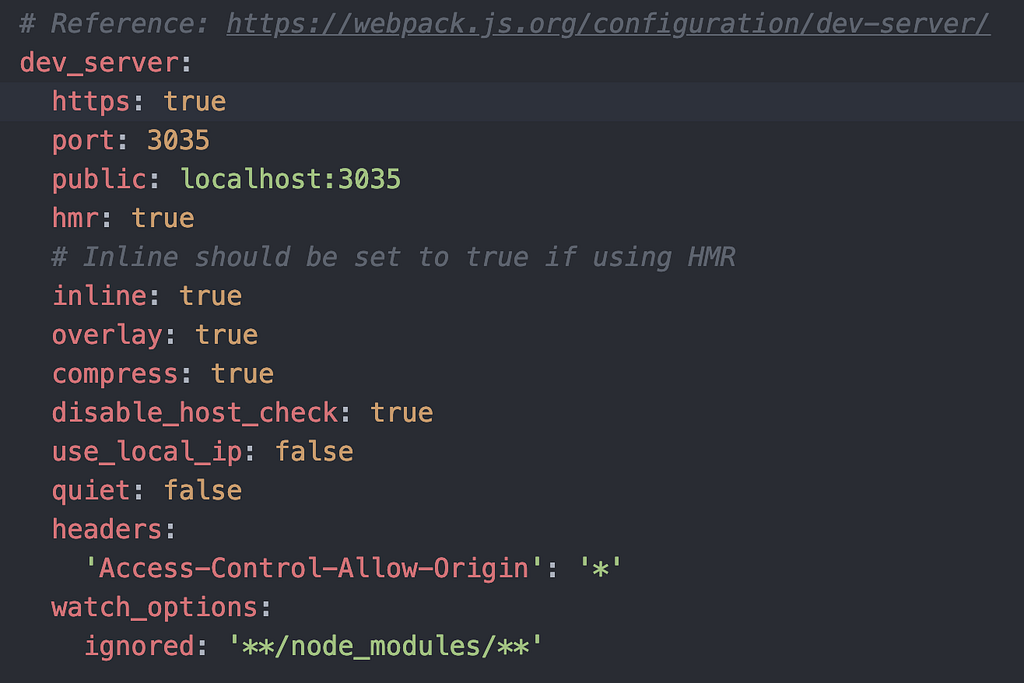
config/webpacker.yml
重啟 rails server 與 ./bin/webpacker-dev-server 後,還是錯的!
1 | # HTTPS 憑證錯誤 |
指定憑證
webpack-dev-server 指定憑證的方式可以看
在Rails 在開發環境中啟用 HTTPS我們將 mkcert 自簽的憑證放在 config/ssl/ 下,於是我們必須修改 config/webpacker.yml 指定 development.dev_server.https.cert 與 development.dev_server.https.key 使用憑證,如下:
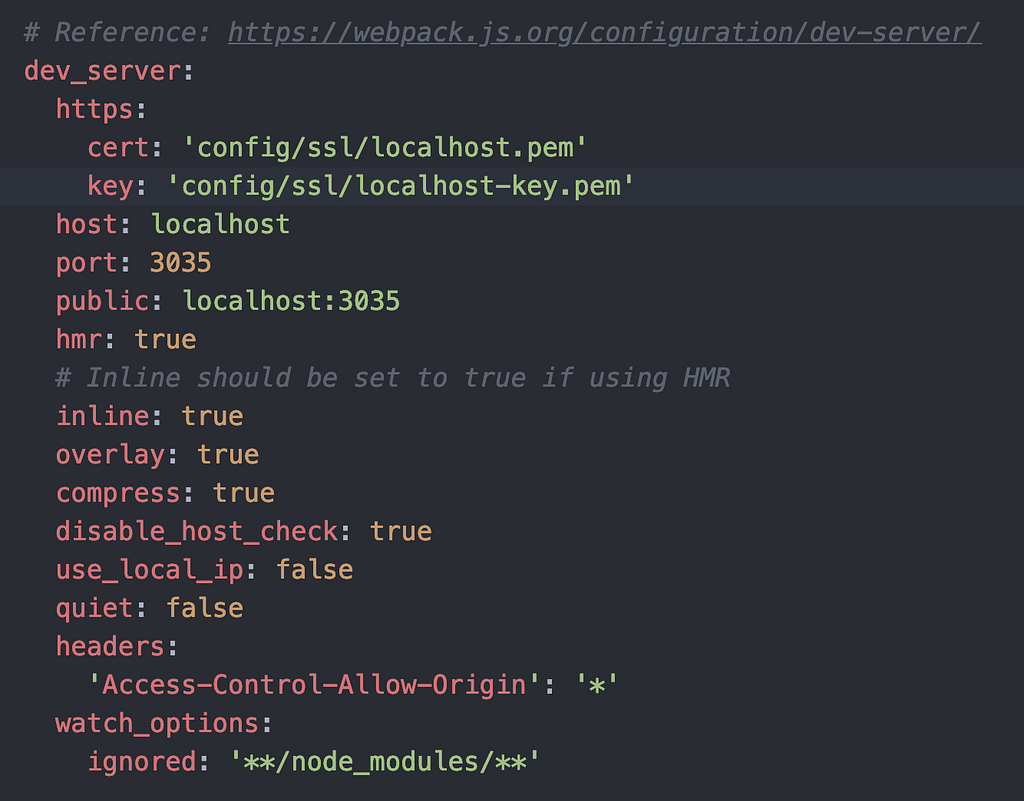
config/webpacker.yml
你以為成功了嗎?重啟 rails server 與 ./bin/webpacker-dev-server 後,還是錯的!
原因在於 4.0.7 版的 Webpacker 忽略了我們傳入的 https 參數,只 care 是否為 true。
./bin/webpack-dev-server command line arguments are ignored · Issue #2000 · rails/webpacker
直到這個 PR 才修正了這個錯誤。
coerce https yaml config to boolean by hwhelchel · Pull Request #2251 · rails/webpacker
因此,我們至少需要指定 Gem Webpacker 版本號到 commit d577bab 以後,直到 4.0.8 版釋出:
1 | # Gemfile |
bundle 安裝更新套件,重啟 rails server 與 ./bin/webpacker-dev-server 後,就能成功囉!
但如果你的 Content Security Policy 像我一樣設定錯誤,忘了加上 https:// 與 wss:// 的話,我只能說:「革命尚未成功,同志仍需努力。」
1 | # Content Security Policy 設定錯誤 |
設定 Content Security Policy
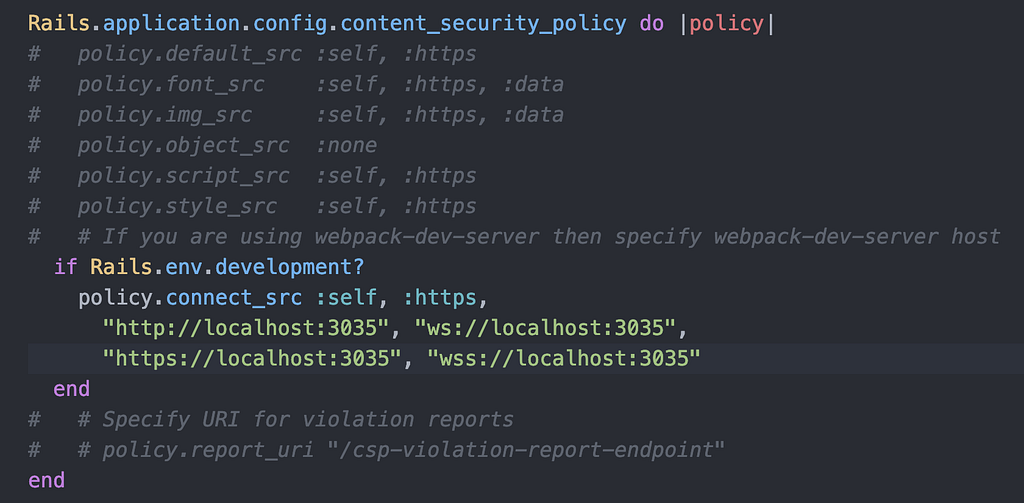
到 config/initializers/content_security_policy.rb 下
添加https://localhost:3035 與 wss://localhost:3035 到 policy.connect_src 中:
這下總算是成功在 development 環境下全面啟用 SSL 囉!
有人問我說為何我不直接把成功的設定分享給讀者,要帶著讀者一起錯過來,原因有三:
- 這樣讀者能夠理解是哪個部分導致錯誤
- 把常遇到的相關錯誤記錄下來,方便同踩此坑的兄弟們 Google
- 我花了 6 個小時 debug,你們直接過,我心裡不平衡啦